v2.0 Live โ€ข 11 Legendary Pets โ€ข 100% Free & Local

The Open-Source Desktop Pet for Developers

A small companion that stands on your dock, lives on your git commits, hunts failing test bugs across your desktop, launches rockets on push, and cheers your Claude Code sessions.

$ curl -fsSL https://raw.githubusercontent.com/jadhavgaurav/bitling/main/install.sh | bash
โœ“ Free & Open Source (MIT)
๐Ÿ”’ 100% Local (Zero Telemetry)
โšก Universal (Apple Silicon & Intel)
๐ŸŒฑ 0.1% CPU (Battery Friendly)
Interactive Stage

Play With Bitling In Your Browser

No install or signup required. Click to pat, drag to throw with ram-air parafoils, switch between 11 species, and fire real developer events!

Mario (Mushroom Kingdom Plumber) โ€ข Stage 3
Live 60 FPS
Trigger Event:
โคข Fullscreen
Built For Your Terminal

Developer Superpowers

Bitling doesn't sit idle. It connects directly to your daily development tools and turns your workspace into an interactive stage.

๐Ÿ“ฆ

Real-Time Git Activity

ZERO-CONFIG REFLOG WATCHER

Bitling automatically scans your home directory and tails your repositories' .git/logs reflog. No tokens, no GitHub account required, and no polling.
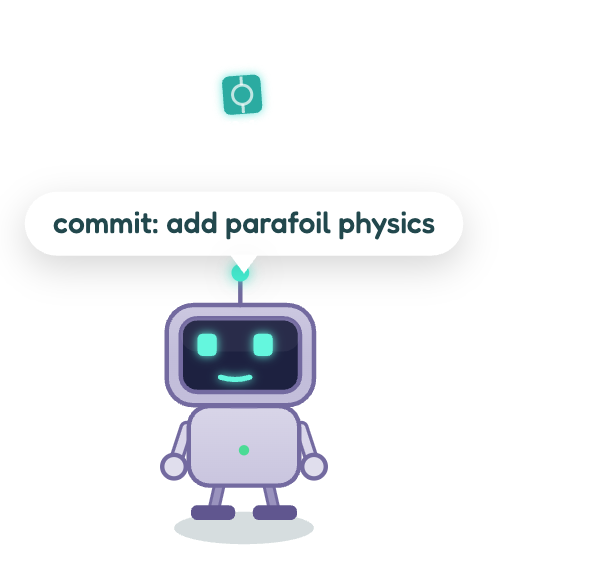
Bitling catching a commit node
  • Git commit: Drops a glowing node stamped with the short hash that your pet eats.
  • Git push: Launches a multi-stage rocket ascending into the clouds.
  • Git merge: Confetti explosion and celebratory merge feast.
๐Ÿชฒ

Failing Test Bug Hunting

SCREEN-WIDE FAILING TEST NAMES

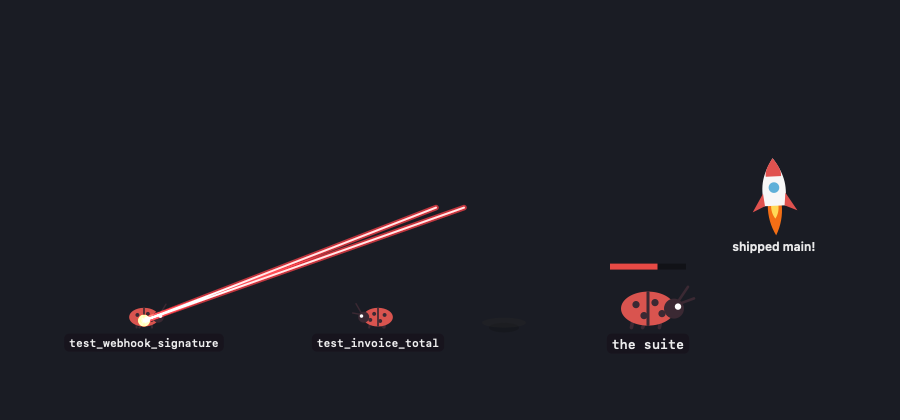
When tests fail in Pytest or CI, beetles crawl out across your entire desktop. Each beetle wears the actual name of the failing test so you know what broke instantly!

Beetles wearing test names and laser beam sniper strike
  • Laser sniper: When you re-run tests, your pet vaporizes only the ones you actually fixed!
  • Boss bugs: Major failures spawn an armored boss beetle with a health bar equal to the failure count.
  • Click-through: The overlay never intercepts mouse clicks or steals editor focus.
๐Ÿค–

Claude Code AI Assistant

LIVE SESSION TRANSCRIPT MONITOR

Bitling tails transcripts under ~/.claude/projects. While Claude Code researches, edits files, and executes commands, your pet stays in lockstep.

Bitling displaying typing dots for Claude Code
  • Thinking dots: Antenna glows amber with animated dots while Claude reasons.
  • Permission wave: Waves both arms with a "?" chime when Claude needs your confirmation.
  • Task celebration: Arms up and sparkles when your agent finishes a turn.
๐Ÿช‚

Physics & Ram-Air Parafoil

RAGDOLL THROW & FLOATER FLIGHT

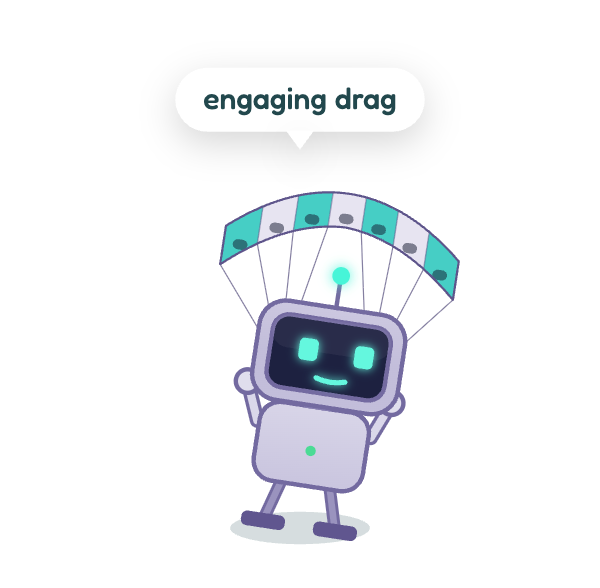
Pick up your pet with your mouse: its legs dangle naturally. Throw it across your desktop, and it tumbles, opens a ram-air parafoil, and lands upright on its feet!

Bitling descending under a ram-air parafoil
  • Walkers: Patrol the bottom edge of your screen and dock.
  • Floaters: Hover anywhere in mid-air and stay where you release them.
  • Needs meters: Pet, feed batteries/chips, or let your companion sleep at night.
Bitling Native macOS Control Room
The Native Control Room

Everything Your Companion Sees, In One Place

Click Bitling's Dock icon or run bitling panel to open the native control room. Zero telemetry, zero network tracking.

1

Live Activity Stream & 12-Hour Timeline

See every commit hash, push, merge, and Claude turn logged in real time with color-coded event ticks.

2

Three Needs Gauges & Growth Stage

Check your companion's Energy, Hunger, and Happiness levels. Watch them grow into Overclocked and Ultra forms!

3

Setup & Optional Global Git Hooks

Configure repo watchers, toggle screen-wide bug swarms, set sound preferences, or enable one-step global git hooks.

Developer Extension Guide

Create Your Own Pet in 50 Lines

Adding a species to Bitling is a pure drawing and a voice definition, not a complex fork. Needs, physics, and speech bubbles are shared.

web/bitling.html โ€” defineSpecies() API JavaScript
// Register a new species in Bitling
defineSpecies({
  id: 'newt', 
  name: 'Newt', 
  kind: 'ground',                  // or 'float'
  blurb: 'A speedy salamander with elemental flame breath.',
  accent: '#7ee7d7',
  radius: [46, 44, 52, 60],          // body radius per growth stage
  reach: () => 3.4,                 // speech bubble clearance (measured)
  half: (r) => r * 1.8,             // window boundary width
  draw: () => drawNewt(),           // your canvas drawing function
  trail: null,                      // 'thruster' or 'flamejet'
  attack: {
    style: 'beam', 
    charge: 0.3, 
    origin: (r) => [{ x: pet.x, y: pet.y }],
    draw(r, k) { /* custom canvas laser / projectile */ }
  },
  voice: {
    hello: ['Ready to code!', 'Newt is on watch.'],
    zapped: ['Bug squashed!', 'Clean hit!'],
    testPass: ['All green! Clean build.']
  }
});
Feature Comparison

Why Developers Love Bitling

How Bitling compares to OpenPets and traditional desktop pets.

Feature Bitling OpenPets Generic Desktop Pets
In-Browser Live Simulation โœ“ Full 60 FPS Canvas Engine โœ“ Spritesheet Preview โœ— Video / Mockups only
Real-Time Git Reflog Tracking โœ“ Native zero-config watcher โœ— Plugin required โœ— None
Failing Test Bug Swarms โœ“ Screen-wide bugs with test names โœ— None โœ— None
Fixed-Test Sniper Lasers โœ“ Snipes only tests you fixed โœ— None โœ— None
Claude Code AI Session Hooks โœ“ Built-in transcript tailer โœ— Plugin required โœ— None
Ragdoll Drag & Parachute Physics โœ“ Real ram-air ram parafoil โœ— Spritesheet frames โœ— None
Boss Bug Battles โœ“ Armored bosses with health bars โœ— None โœ— None
Privacy & Zero Telemetry โœ“ 100% Local-first, zero telemetry โœ“ Local-first Varies
Got Questions?

Frequently Asked Questions

Everything you need to know about installing, running, and configuring Bitling.

Bitling is signed ad hoc rather than with an expensive Apple Developer ID. If macOS displays "Apple could not verify Bitling is free of malware", simply run this command once in your terminal:

xattr -dr com.apple.quarantine /Applications/Bitling.app

Alternatively, go to System Settings โ†’ Privacy & Security, scroll to "Bitling was blocked", and click Open Anyway. Using the one-line curl installer does this automatically!

No! Bitling is engineered in lightweight Swift and WebKit. When idle, CPU consumption is ~0.1%. When you hide the pet or let it sleep, background rendering halts completely to preserve your MacBook battery life.

Bitling reads the local .git/logs/HEAD reflog file on your own hard drive. It never communicates with GitHub, requires no personal access tokens, and works on repositories that have never been pushed to the cloud.

Bitling ships with a global CLI linked to /usr/local/bin/bitling. You can switch companions or fire events anytime:

bitling pet mario       # Switch companion to Super Mario
bitling pet goku        # Switch companion to Son Goku
bitling pet pikachu     # Switch companion to Pikachu
bitling panel           # Open the native control room
bitling say "lunch?"    # Make your pet speak a speech bubble

Yes! Bitling is 100% open source under the MIT license. You can declare your own species using the defineSpecies API in web/bitling.html, measure its proportions with node Tools/check_bubble_gap.mjs, and submit a pull request on GitHub!

โšก Install command copied to clipboard!